



- December 22, 2025 STEM
In high school, I spent my time reading magazines, fashion websites, and blogs. There was only so much content I could consume before it got dull and creating the content seemed more interesting. I enjoyed writing, fashion, and wanted to have my own space online.
I created Belle Reve Blog V1 during winter break of grade twelve. I didn't know how to create my own website, let alone code. But I was determined to have something of my own. WordPress worked well back then because it was simple and inexpensive, but when the subscription renewed in university I could no longer justify paying the price increase. I also felt limited in what I could customize. I wanted better control from features to design.
My first plan was to transfer my WordPress site with Jekyll. But the templates lacked functionality and didn't allow me to customize layouts the way I envisioned.
So I decided to build it myself. Even though I wasn’t in computer science and my only coding experience was some basic Python/Java and hackathon exposure. This became an engineering challenge: design a functional, visually appealing, maintainable website with almost no budget and limited technical experience. I evaluated design options and iterated towards a scalable solution.
I owe a big part of this final product to my brother. He advised, debugged, and encouraged me throughout the process.
The final repo can be found here.
This post walks through how I designed and built the new version, and what I learned along the way. I split it up into nine sections.
- Planning the Rebuild
- Tech Stack
- Project Structure
- Components and UI
- Markdown Parsing
- Styling System
- Deployment
- Challenges and Lessons Learned
- What's Next
--
1. Planning the Rebuild
I started by sketching what I wanted on GoodNotes. Below are some images of my website planning. I had a lot of fun with the full creative control. I planned the layout, but also sectioned off parts of the website that I could later code into components.
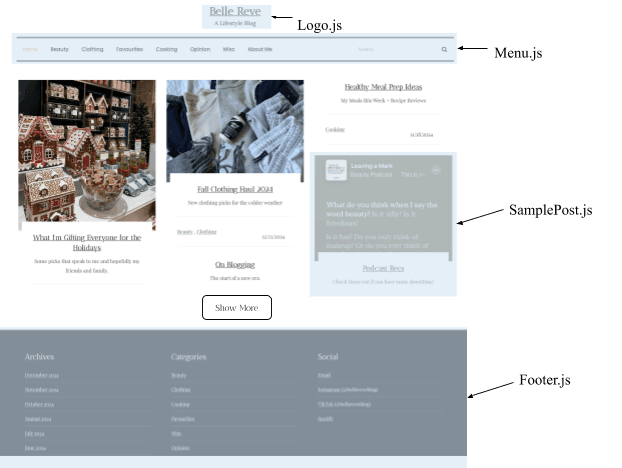
version 1
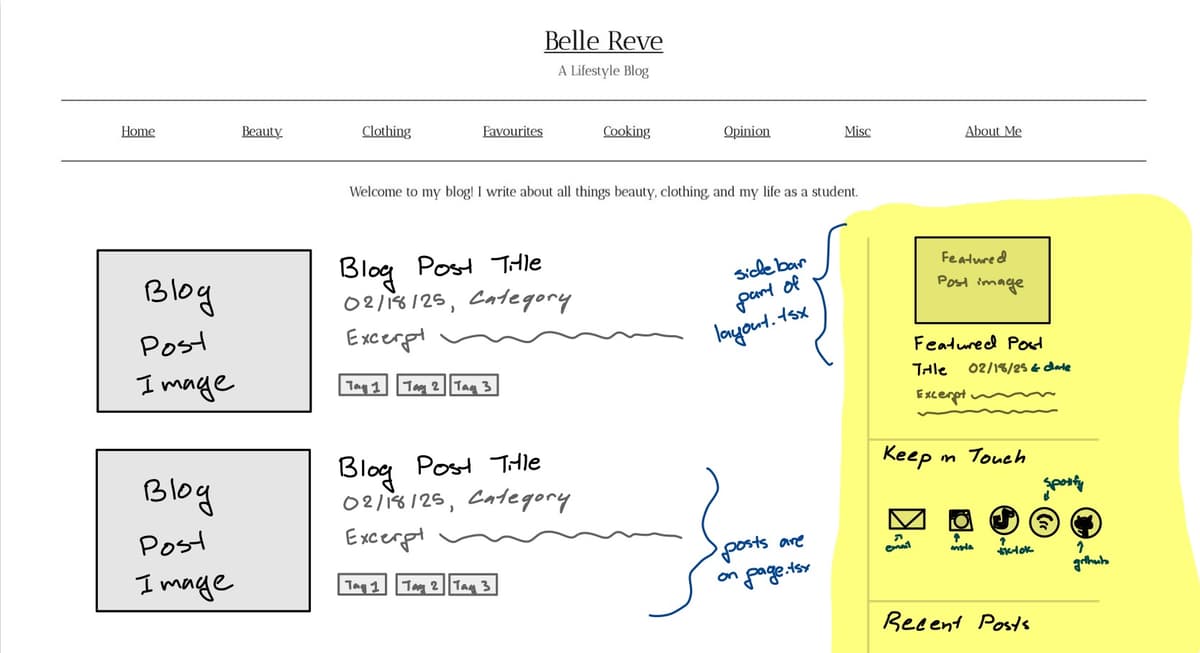
version 2
For the back-end, I evaluated my options and ultimately decided on having blog posts in Markdown files. Those files would then be parsed to fit into a React.js "blog post" component. I chose Markdown for maintainability and implemented parsing logic.
2. Tech Stack
Each tool was chosen to balance performance, learning curve, and long-term maintainability.
Next.js (App Router): routing, rendering, performance
React + TypeScript: components
CSS modules: styling
Vercel: deployment and hosting
Markdown (MD): write posts
3. Project Structure
The structure is based on the Next.js App Router which organizes pages and layouts through a file-based routing system. This structure makes it easy to scale the blog without changing any frontend code.
Mine ended up looking like this:
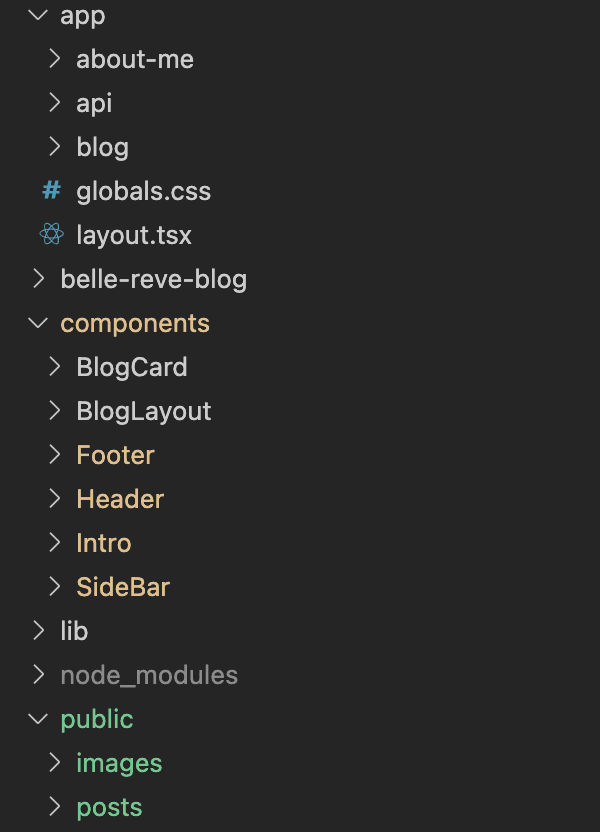
At the root I have four main directories: app, components, lib, and public.
The app directory defines the site's routing and page structure. Within it, I have my pages, "about-me" and "blog". Inside the "blog" route, there are separate folders for posts and categories. Each route has page.tsx files that contain unique page-specific content and layout.tsx files for shared UI.
Layouts allow me to keep elements like the header and footer consistent throughout the site while rendering different content between them. For example, the same layout wraps the home page, category pages, and individual blog posts, but the main content changes depending on the route.
Blog routing is handled automatically through the folder structure:
- Blog/Category filters and displays posts
- Blog/Post/[slug] dynamically renders individual articles
I go more into detail below in "5. Markdown Parsing and Slugs".
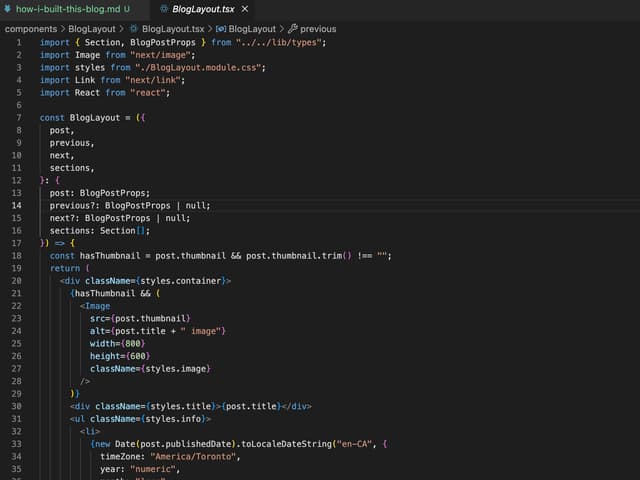
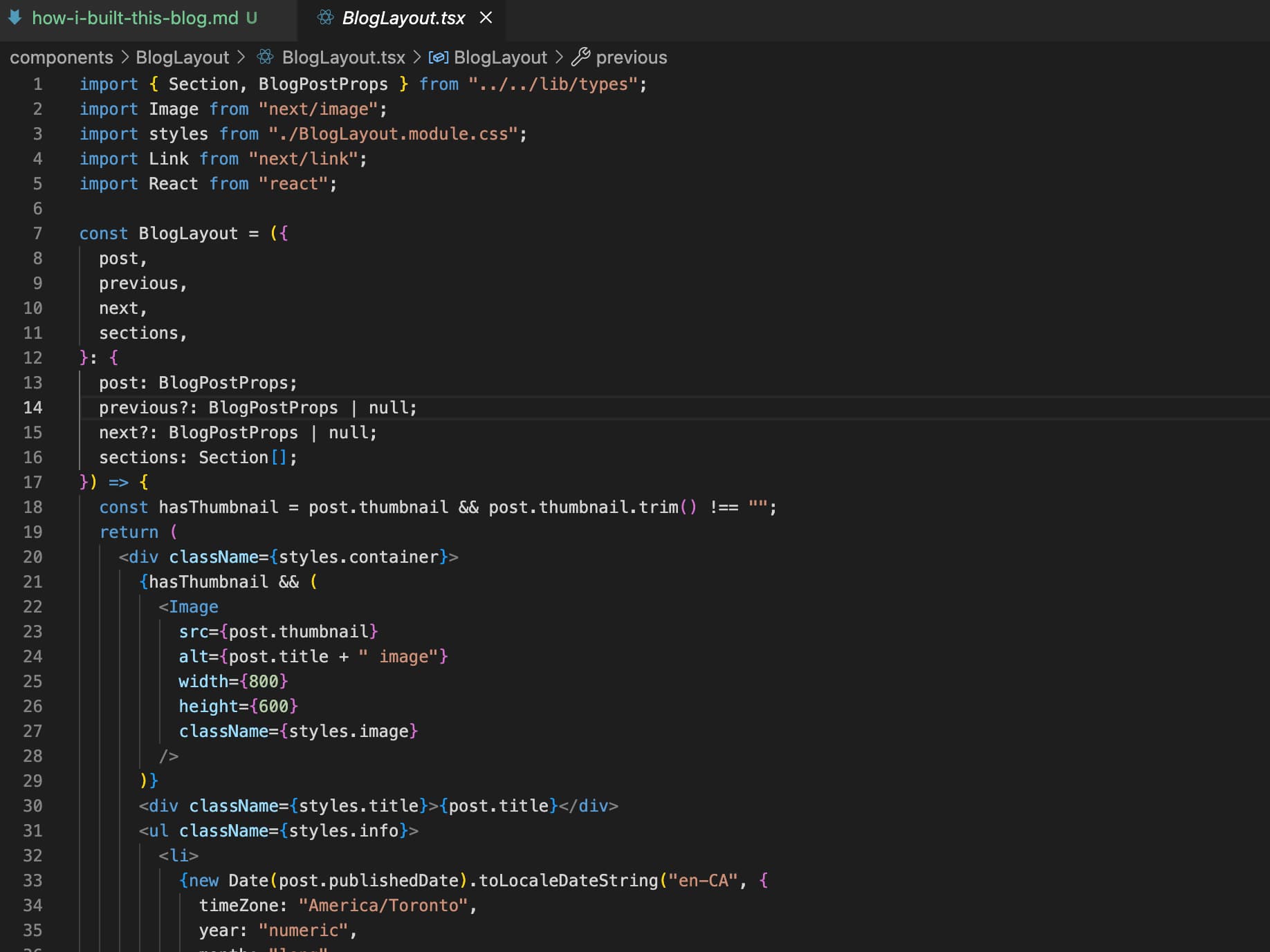
Components are reusable UI elements I use throughout the app. I have BlogCard, BlogLayout, Footer, Header, Intro, and SideBar.
The lib folder contains utility logic that powers the blog system.
- A Markdown parser
- A file for TypeScript definitions
- Utility functions for fetching posts
Finally, public contains static assets like posts and images. All my posts are Markdown files that fit the template below. Once I write my posts with the Markdown template, my parser takes care of the rest and fits it into blog cards and full post articles.
md4. Components and UI
BlogCard: The display for every article from the home page as well as each category page. It shows the title, thumbnail image, date, category, and tags.
BlogLayout: The full article with the same content as BlogCard, but includes the actual article body and buttons for the previous and next article.
Footer: The dark grey box at the end of every page that has links for categories and social contacts.
Header: Shown at the top of every page and has the title (Belle Reve, a lifestyle blog) and categories. Header is actually made up of the two sub components (Logo and HeaderLinks) so mobile versions have the side bar hamburger menu to include the header links.
Intro: My little blurb that only shows on the home page. It says: Welcome to my blog! I write about all things beauty, STEM, and my life as a student.
SideBar: This differs between screen sizes. It always shows the featured post, social contact links, and two most recent posts. But on screens smaller than 1024 px, it also has the header links (categories and about me page). Smaller screen sizes have a hamburger menu and full screen overlay to be more responsive. If I didn't have the hamburger menu, the smaller screen sizes would be overcrowded with a static sidebar and page content.
5. Markdown Parsing and Slugs
I decided to create a custom Markdown parser to convert my Markdown files directly into blog articles. It separates frontmatter metadata from the Markdown body. It can extract information that the BlogLayout file requires: title, date, category, and excerpt. This design also enabled features like the code block seen above.
types.ts is a definitions file also within lib that outlines the type of data used throughout my project.
utils.ts is a helper file that reads Markdown blog posts, parses their metadata, and transforms them into reusable data for the rest of the site.
6. Styling System
I used CSS modules throughout my project. Every page requires a corresponding .module.css file, but it keeps my code organized and it's easy to go back and edit.
7. Deployment
I originally planned on hosting on GitHub Pages since it was the first free option to deploy my code. However, GitHub Pages only supports static apps. I then decided to deploy on Vercel, and I love it. It was easy to configure with my GitHub repository and domain. It also provides analytics, speed insights, logs, and more useful information. The whole process of deployment took under 5 minutes.
8. Challenges and Lessons Learned
At first, I fell into the trap of trying to master all the technologies before starting. Getting lost in the tutorial black hole of YouTube completely stalled my progress. Eventually I had to dive into the deep end and get started, no matter how uncomfortable I felt. I later learned that the scarier it felt, the more I learned. Whenever I got stuck, I broke problems into solvable pieces, consulted Stack Overflow, and asked for help. Some problems were tedious, like migrating old posts while others were complex, like designing a system to convert Markdown into a consistent visual template.
The largest challenge I faced was configuring the Markdown parser. I used remark parse, which is common among blogs. It parses through Markdown files into a structured format that my components can render. With every new blog post, came new features I wanted to implement and edge cases to deal with. But going through the motions of reading documentation, implementing, debugging, and testing became second nature. wax on, wax off.
9. What's Next
As I continue creating content, I'll implement more STEM topics. My interests have evolved since high school and as I continue to post about beauty and lifestyle, I'll also discuss materials science and engineering.
Future work includes additional features like a search bar, pagination, dark mode, jump to the top button, and more. Feel free to view the issues and which one I'm currently working on at the repo.
Feedback, suggestions, questions, and comments are always welcome and can be directed to the feedback form. Or feel free to message me on instagram or email